Payments & collection
How the account ledger works
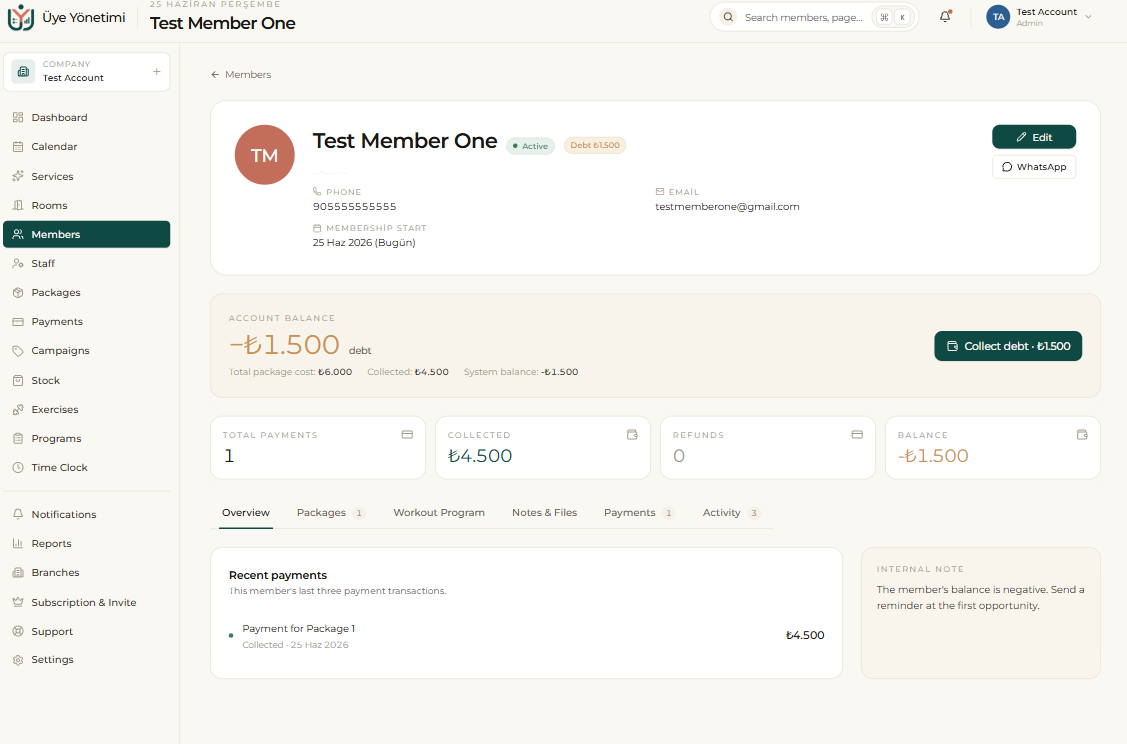
Every member has an account ledger; just like a bank statement it keeps all debts, payments and refunds in date order and shows the current balance. When you sell a package a debt is created; when you collect a payment the debt decreases; the difference is the balance.
From the member card you can collect a full, half or quarter payment of the remaining debt with a single tap, choosing cash, credit card or bank transfer. Every transaction is recorded against the active branch’s cash register.
Collecting a payment
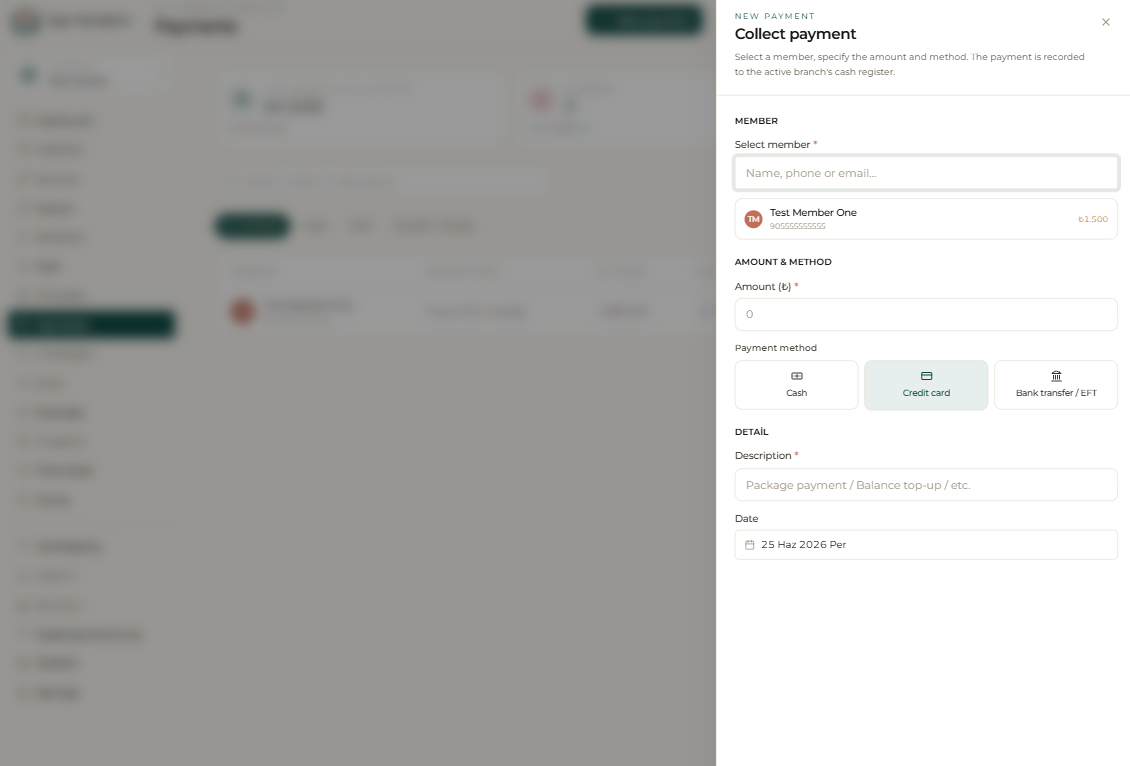
You can also start a collection from the Payments page with “New payment”, then search for the member, enter the amount and choose the payment method; the moment you save, the balance, the daily cash register and the revenue report update.
You can take a partial payment, record an advance for a future date, or correct a mistaken transaction as a refund. Every movement leaves a trace on the ledger, so looking back over history is always possible.
Overdue receivables
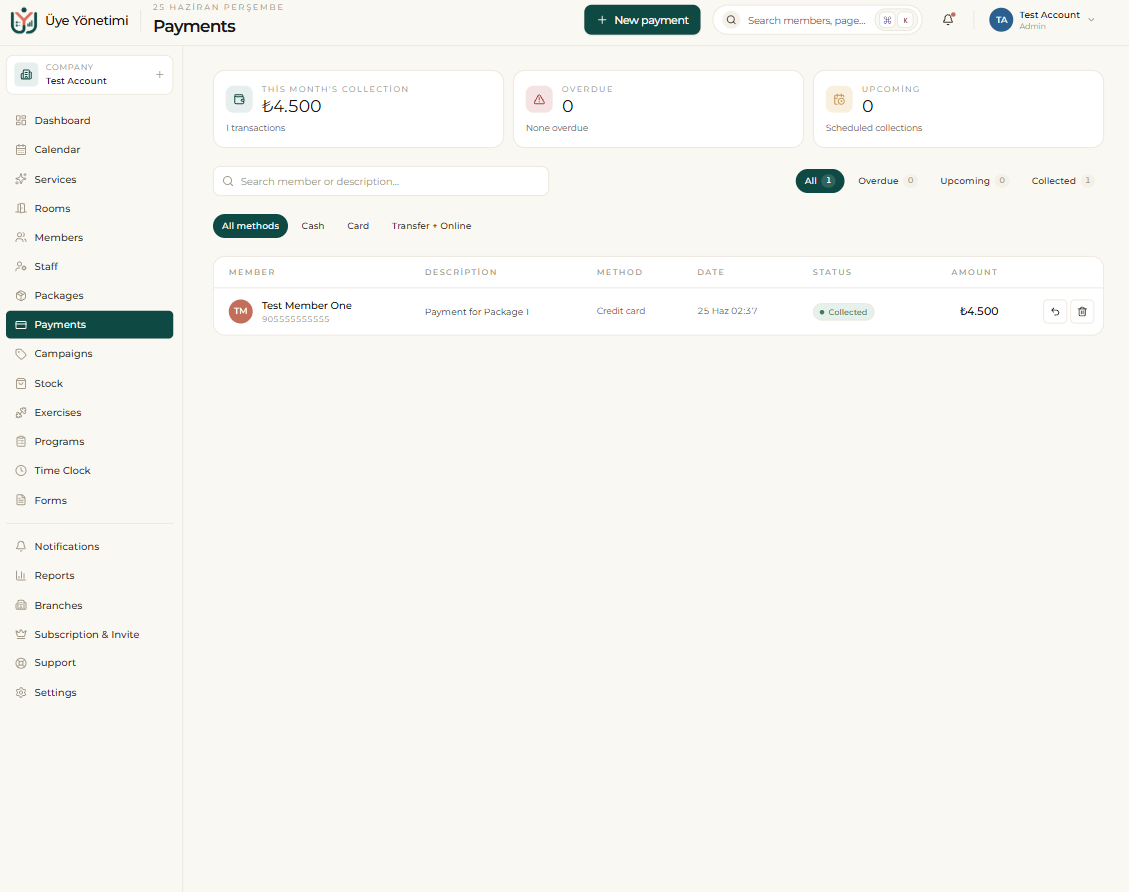
Debts past their due date automatically fall into the “overdue receivables” list. From this list you can see the largest debtors and send a reminder over WhatsApp in one click. This keeps collection follow-up tied to the system, not to someone’s memory.
Step by step
- 1 From the left menu open “Members” and open the card of the member you’ll collect from.
- 2 Click the “Collect payment” button.
- 3 Enter the amount and choose a payment method: cash, credit card or bank transfer.
- 4 For a partial payment, enter the amount accordingly; to fix a mistaken transaction, record it as a refund.
- 5 Save; the member’s balance, the daily cash register and the revenue report update instantly.
- 6 For overdue debts, check the overdue receivables list under “Payments” or “Reports”.
- 7 Send a WhatsApp reminder to the indebted member in one click from the list.
The overdue receivables list refreshes automatically every day; the system tells you who to call.