
Stock & products
Product and stock tracking
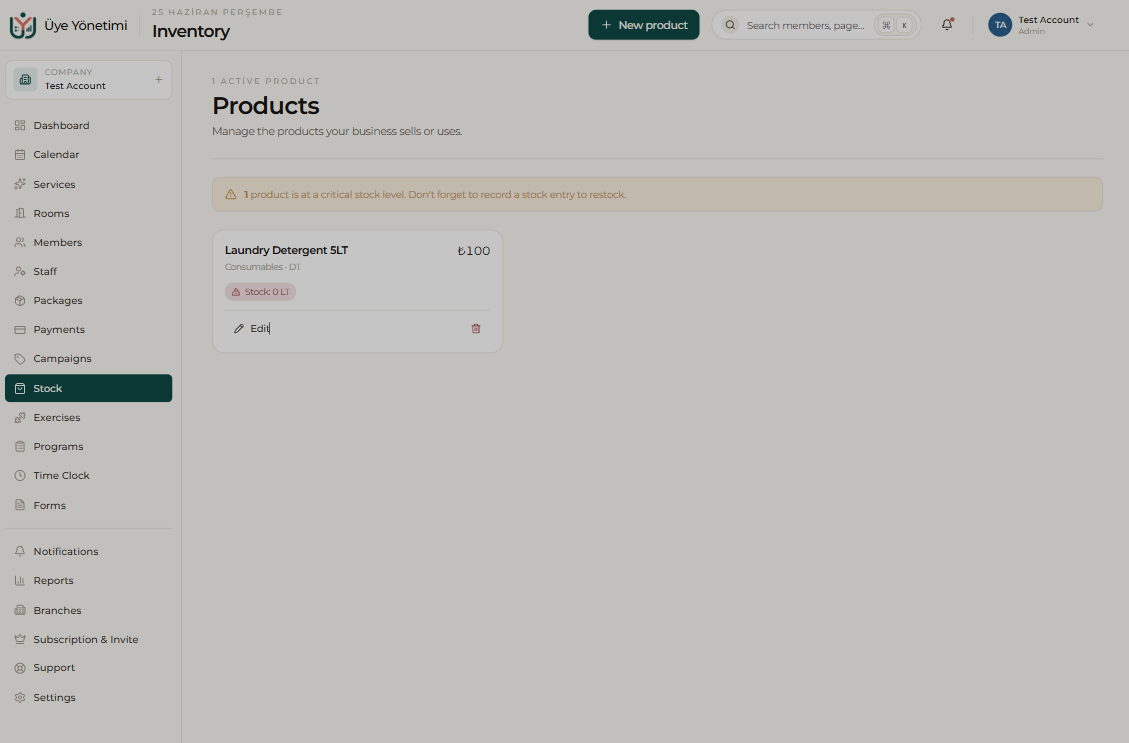
The Stock module tracks the products you sell (for example supplements, cosmetics) and the consumables you use in the business. For each product you keep a name, price and current stock level.
If you define a critical threshold, you get an alert when the stock drops below that level; so you place an order in time before a product runs out.
Sales and the member link
When you sell a product the stock is reduced automatically; you can also link the sale to the member’s account ledger. This way you see a member’s services and products together on one account, and track both stock and revenue accurately.
Step by step
- 1 Open the “Stock” page from the left menu.
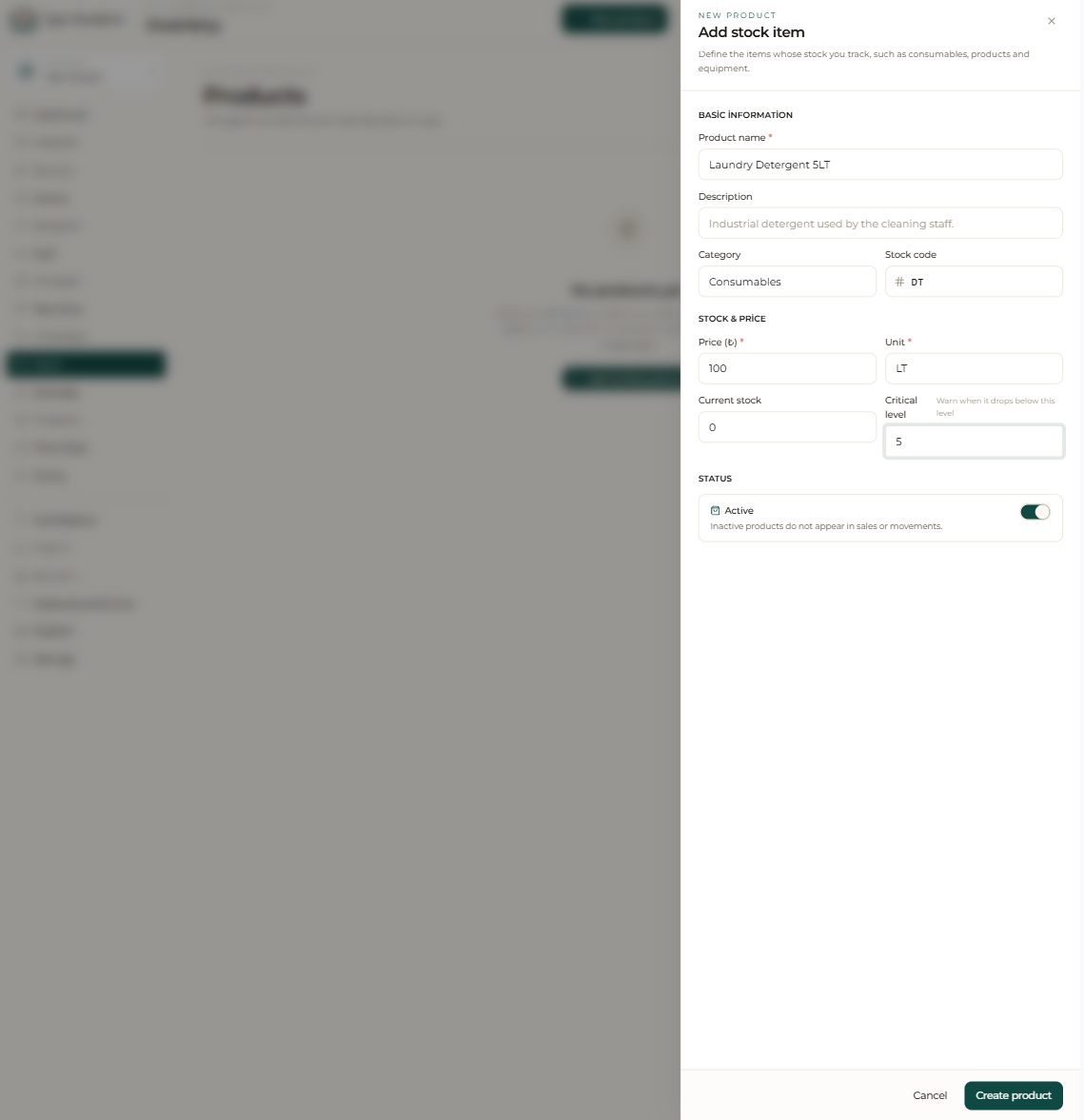
- 2 Click the “New product” button.
- 3 Enter the product/consumable name, sale price and current stock quantity.
- 4 Set a critical stock threshold so you’re warned before it runs out.
- 5 Save; when you make a sale, the stock is reduced automatically.
- 6 Link the sale to the relevant member’s account to gather services and products on one account.
- 7 When the stock drops below the threshold, get an alert and place an order in time.