
Campaigns
Defining a campaign rule
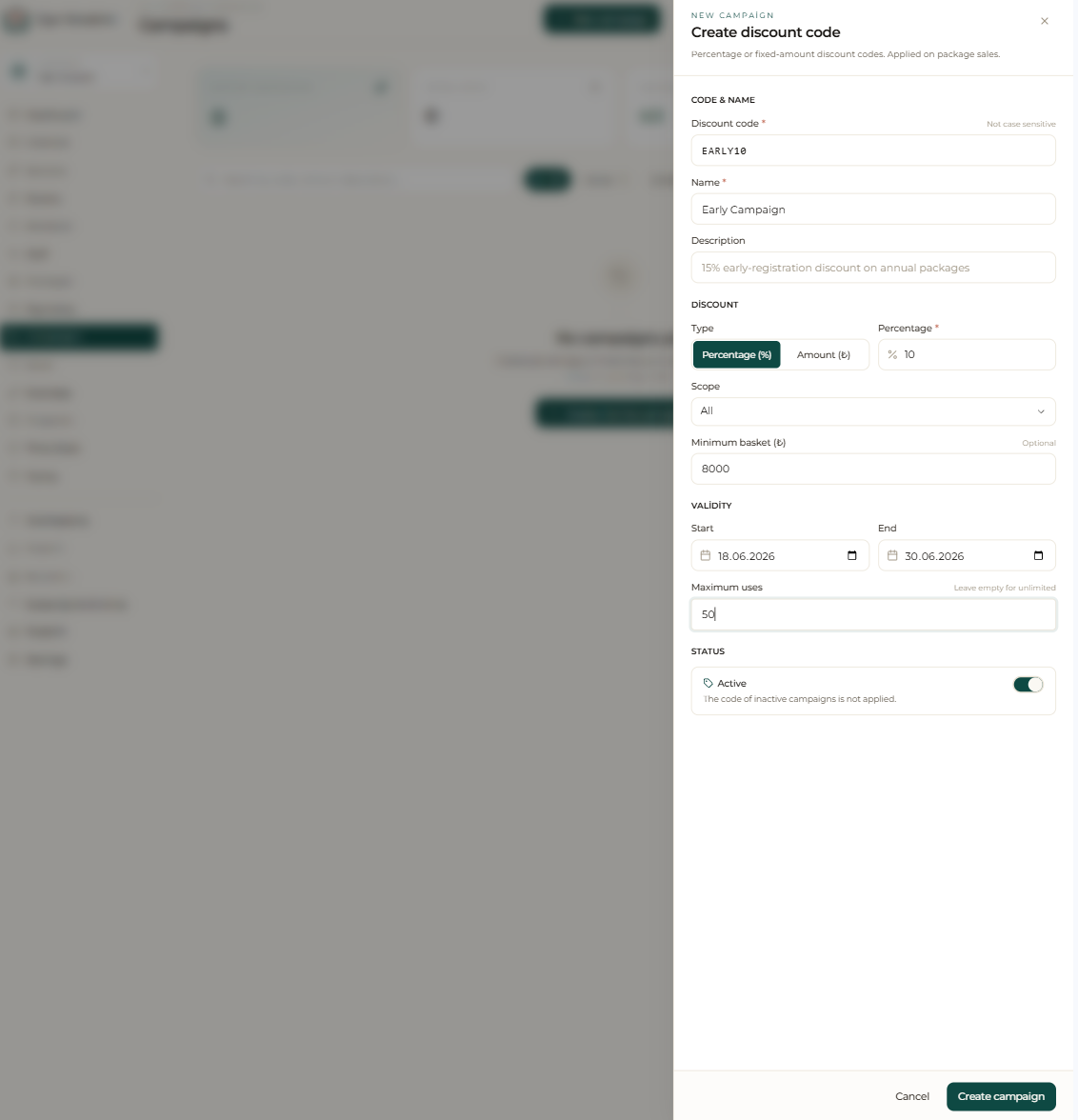
A campaign lets you turn a discount or offer into a rule. You define a percentage (20%) or fixed-amount (₺250) discount; set the start and end date and which packages or services the campaign applies to. You can also set a minimum basket and a maximum number of uses.
You can target specific member groups; for example, you can build an offer only for members tagged “new member” or for former members whose package has ended.
Applying and tracking conversion
When you apply the campaign to a sale, the discounted price is calculated automatically and reflected on the account ledger with the correct amount; you don’t have to work out the discount by hand.
By tracking from your reports how many sales and how much revenue each campaign converted, you repeat the offers that work and stop the ones that don’t.
Step by step
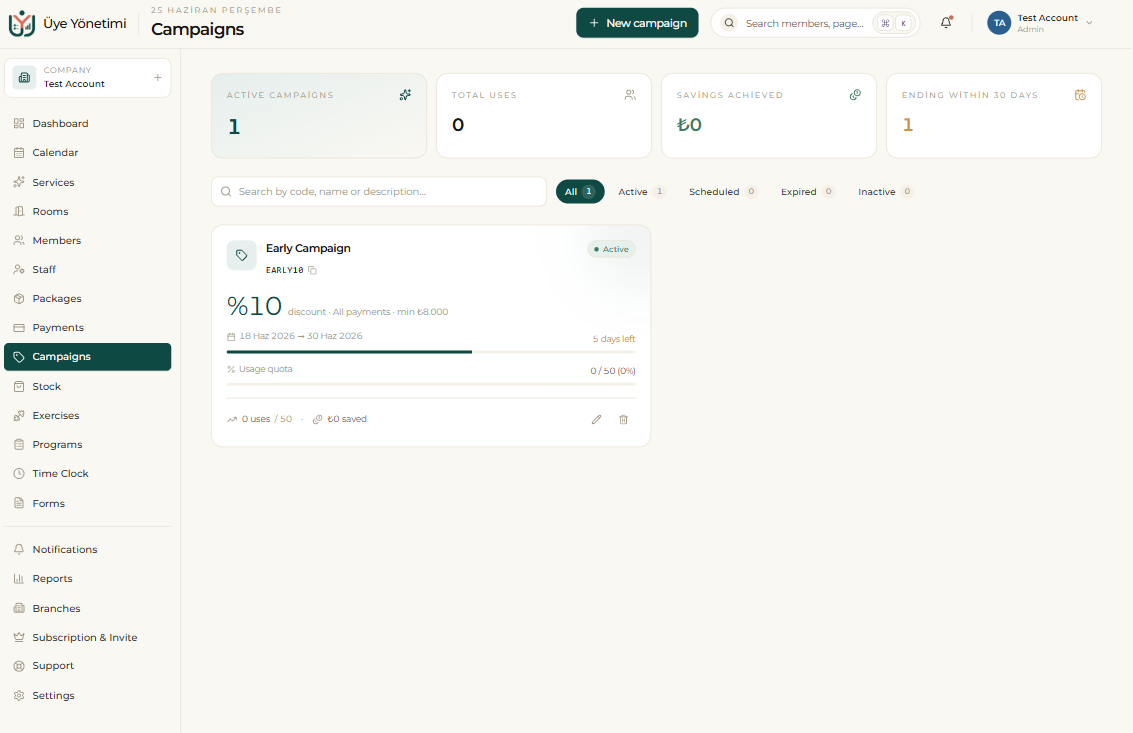
- 1 Open the “Campaigns” page from the left menu.
- 2 Click the “New campaign” button.
- 3 Choose the discount type: percentage (20%) or fixed amount (₺250).
- 4 Set the start and end date.
- 5 Choose the packages/services the campaign applies to and the target member group (e.g. the “New member” tag).
- 6 Save; when you select the campaign at the point of sale, the discounted price is calculated automatically.
- 7 Track from “Reports” how many sales and how much revenue each campaign converted.