
WhatsApp, SMS & notifications
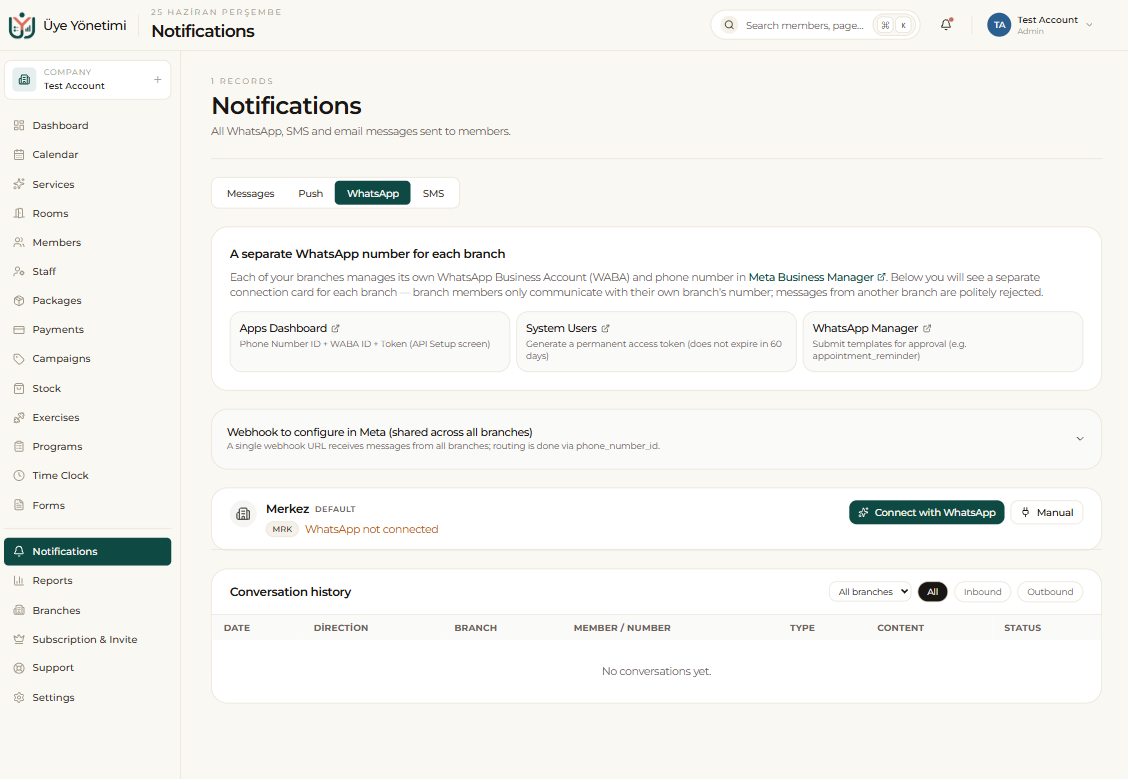
The WhatsApp number you add to the system is closed to personal use and dedicated to the system; only the system uses this number, and you cannot use it as normal WhatsApp on your phone. For this reason it is recommended to add a separate number specific to the business, not your personal number.
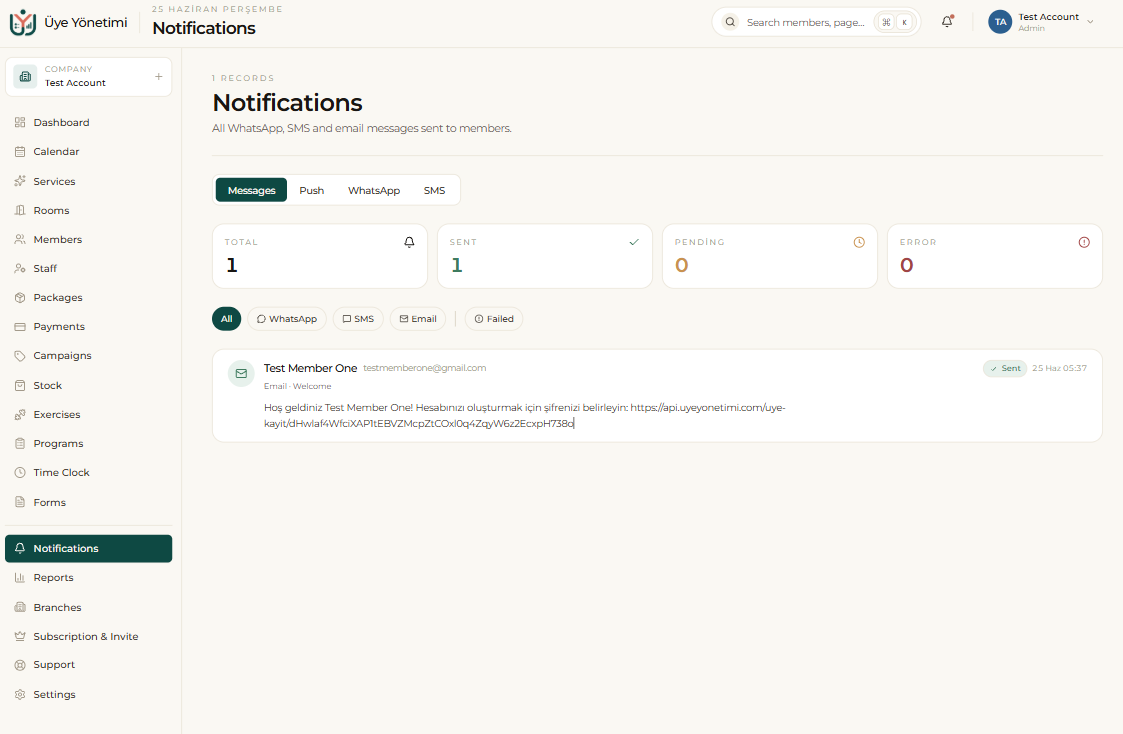
Automatic reminders and announcements
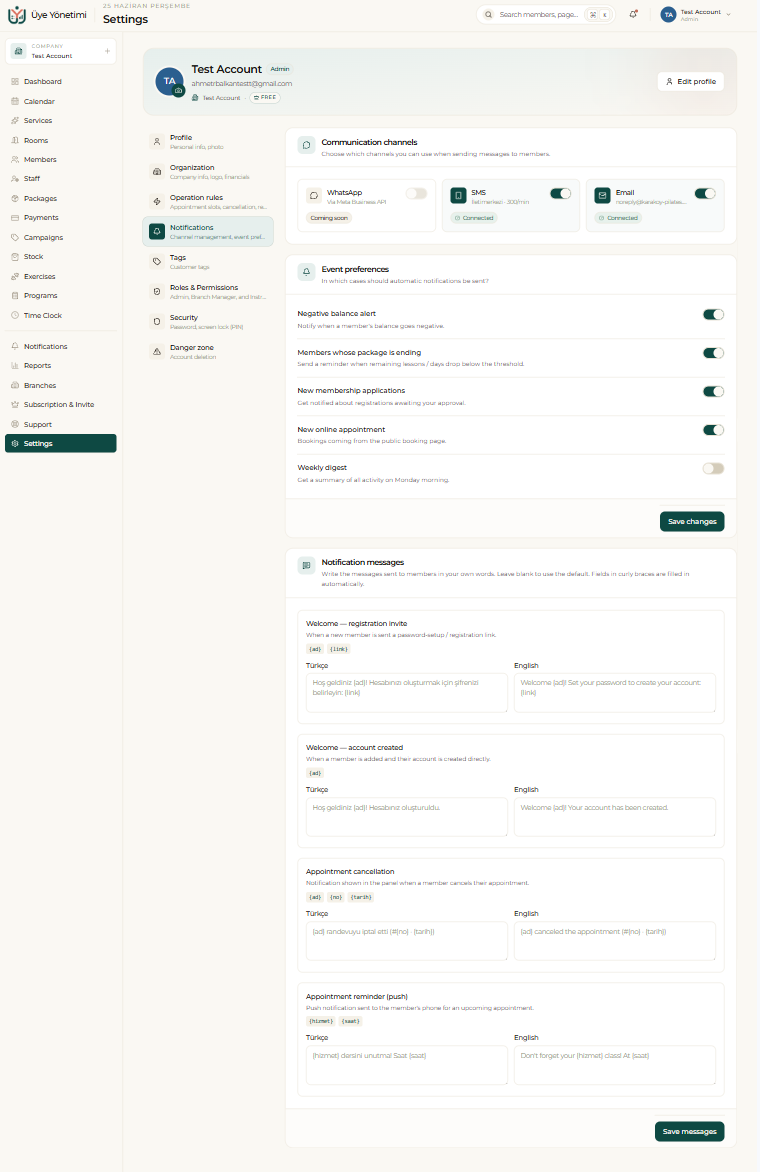
This module automates communication with your members. You define messages such as a pre-appointment reminder, a birthday greeting or a package-ending alert once as a rule, and then send them automatically. You choose which events trigger notifications from Settings › Notifications.
Campaigns and general announcements are sent in bulk to the member group you choose (for example all active members, or only a single tag).
One-click messages and notifications
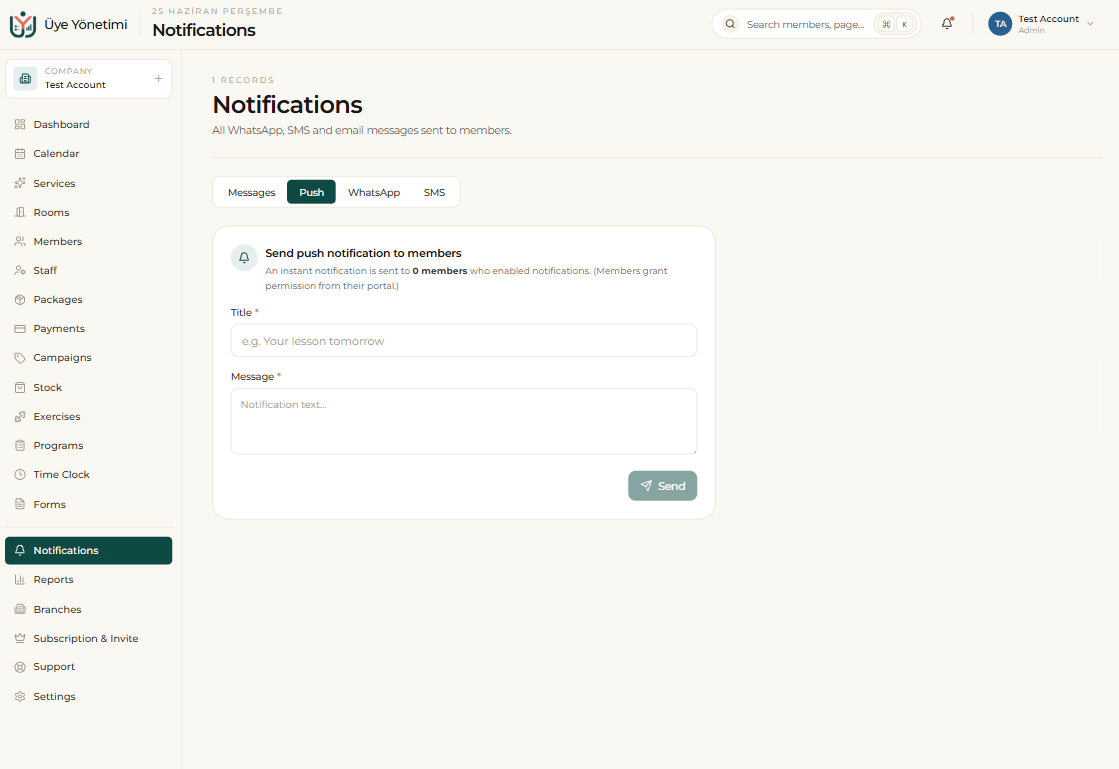
You can send a WhatsApp message to any member in one click from the button on their card; you can prepare templates for the texts you use often. You can also send an instant push notification to members who have enabled it from their portal.
On top of that, in-app notifications keep your team informed instantly about events such as a new appointment, a collected payment or an incoming form response.
Sending via SMS
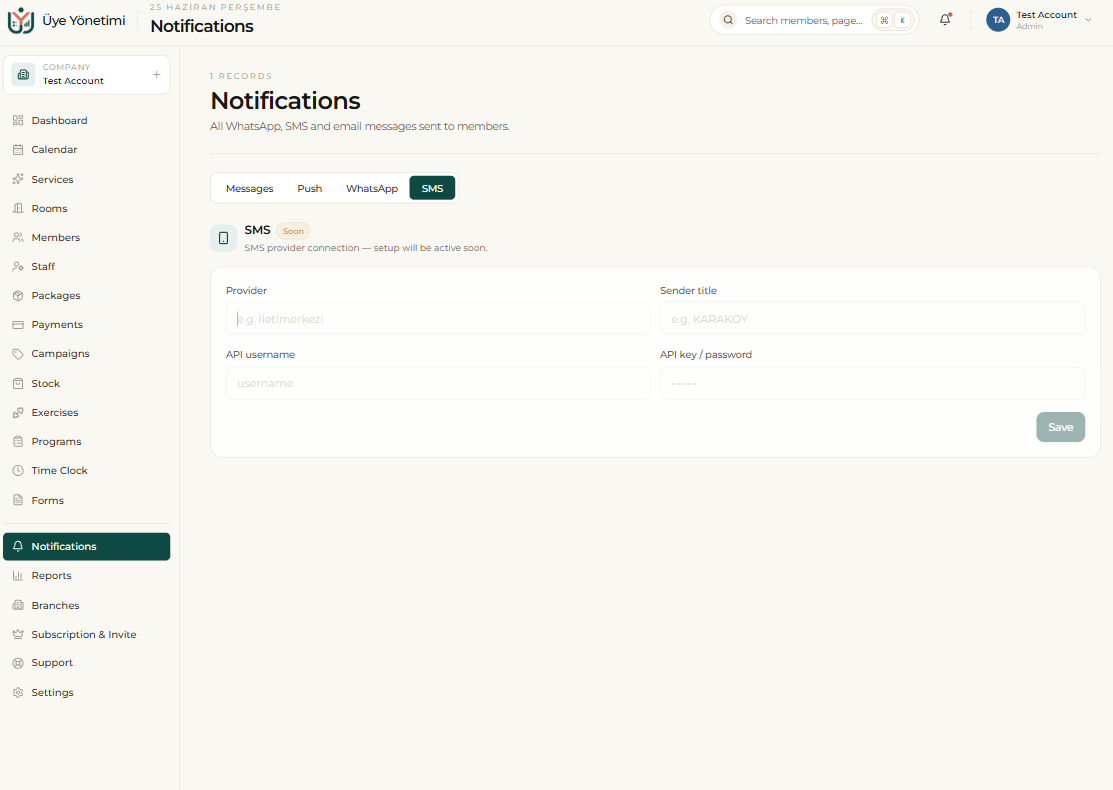
Alongside WhatsApp you can also use the SMS system. Messages such as appointment reminders, payment info or campaign announcements can be sent to the member as a classic SMS instead of (or in addition to) WhatsApp. Because SMS needs no internet connection, it reaches every phone.
The same templates and automatic-sending rules apply to SMS too; you choose which channel (WhatsApp or SMS) to send from. To send SMS you need to define an SMS provider; this step will be added to the guide soon.
Step by step
- 1 Open the “Notifications” page from the left menu.
- 2 On the WhatsApp tab, create a template for the messages you’ll use often.
- 3 Define an automatic-sending rule (e.g. “remind 1 day before the appointment”).
- 4 For a bulk announcement, choose the target member group (all active members or a tag) and send the message.
- 5 To send the message as SMS instead of WhatsApp, set the channel to “SMS” (an SMS provider must be defined first).
- 6 Send an instant WhatsApp or SMS message to a single member with the “Send message” button on their card.
- 7 Keep in-app notifications on so your team is informed about new appointments, payments or form responses.
Automatic appointment reminders visibly reduce the no-show rate.