
Packages & sessions
What is a package?
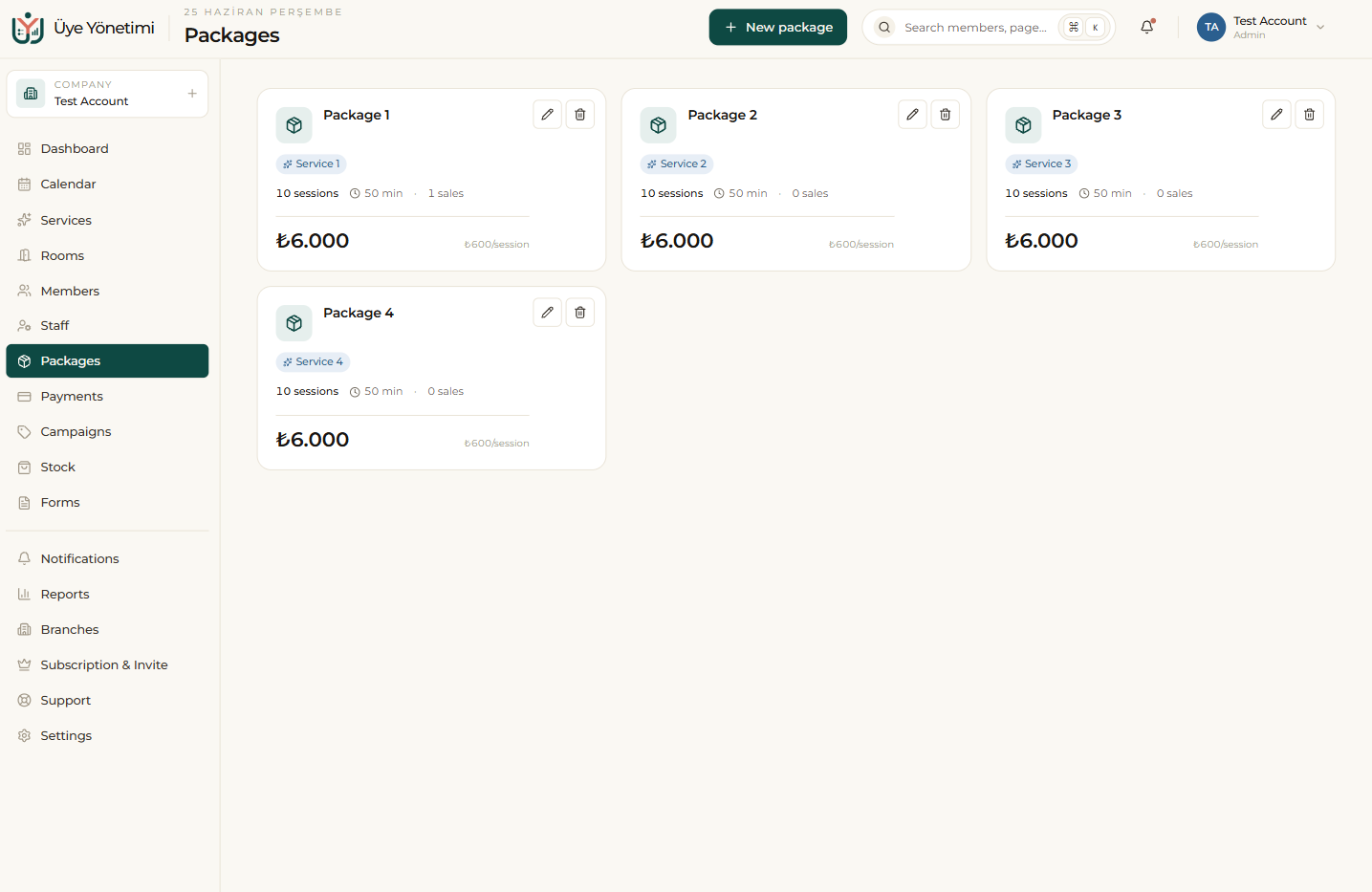
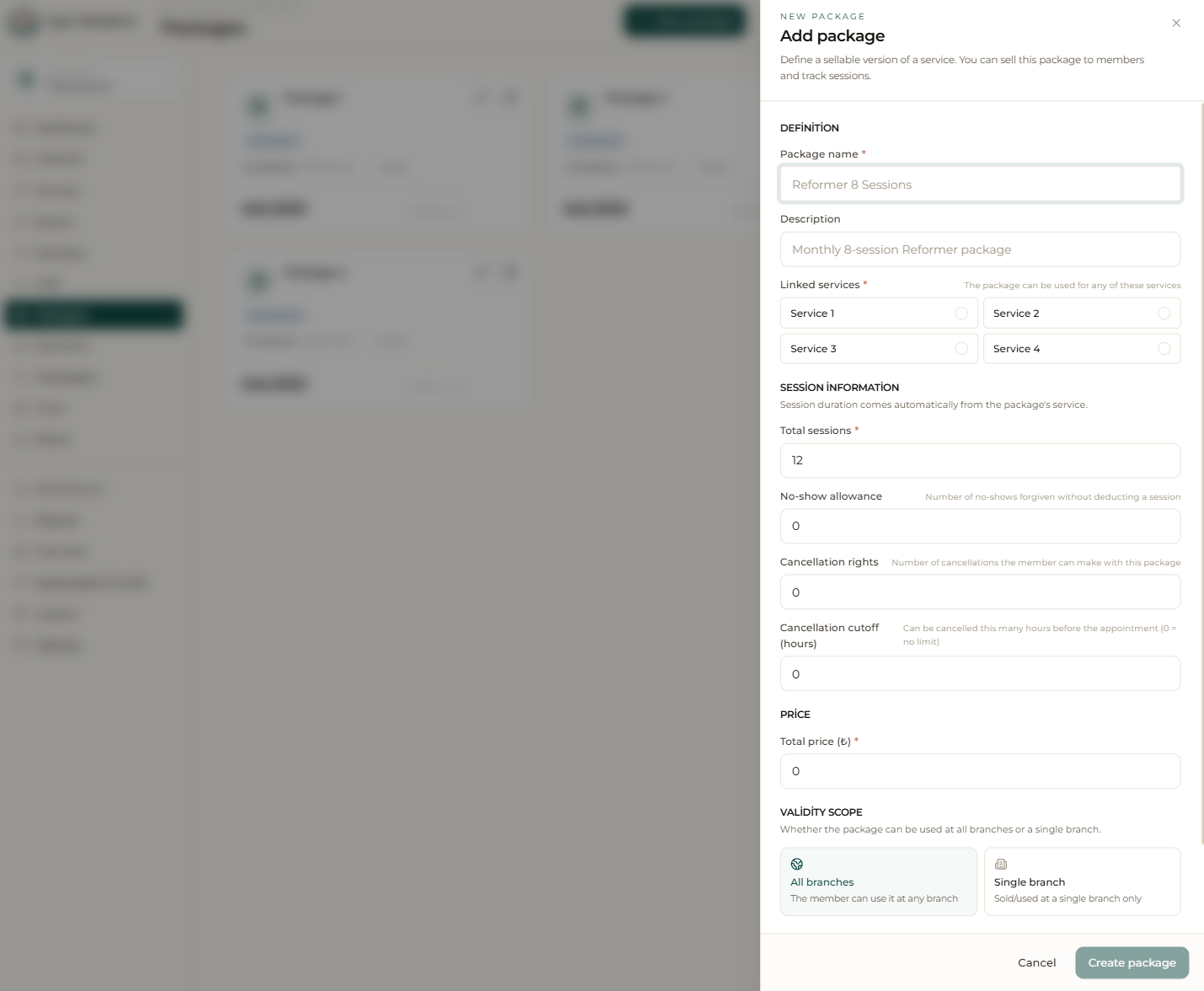
A package is a usage right the member has purchased in advance; it usually contains a number of sessions and a validity period. When creating a package you set the number of sessions, the validity period, the price and which services it covers; for example “8 sessions of Reformer, valid for 2 months, ₺3,000”.
You can build session-based or duration-based (unlimited) packages. By assigning the same package to different members you standardize your sales and keep your pricing consistent.
Assigning and tracking sessions
When you assign a package to a member, the sale is recorded automatically on the member’s account ledger; you can take the payment up front or leave it as debt. Each time the member attends an appointment (when it is marked “attended”) one session is deducted from the relevant package automatically.
The remaining sessions and end date are always up to date on the member card. So you answer “how many sessions are left?” without flipping through a notebook, and eliminate manual counting errors. When defining a package you can also set no-show and cancellation rules and whether it is valid at all branches or a single branch.
Alerts and renewal
When the sessions run out or the validity period is about to end, the system alerts you (and the member, if you wish). This lets you offer a timely renewal to members whose package is running low. By seeing the best-selling packages in your reports you also learn which packages are working.
Step by step
- 1 Open the “Packages” page from the left menu.
- 2 Click the “New package” button.
- 3 Enter the package name, session count, validity period, price and covered services (e.g. “8 sessions of Reformer, 2 months, ₺3,000”).
- 4 Save; the package is ready to be assigned to members.
- 5 Open a member’s card and assign this package with “Assign package”.
- 6 Choose “Collect payment” to take it up front, or leave it as debt.
- 7 As the member attends appointments, track the remaining sessions from the member card; the system warns you as it nears the end.