
Staff & earnings
Roles, permissions and commission
For each staff member you define a role and permissions; this determines which screens they can see and which actions they can take (see Security & permissions for details). Based on the services they provide, you assign a fixed fee or a percentage commission rule. You can also decide whether the staff member can log in to the panel with their own email and password to view their calendar and earnings.
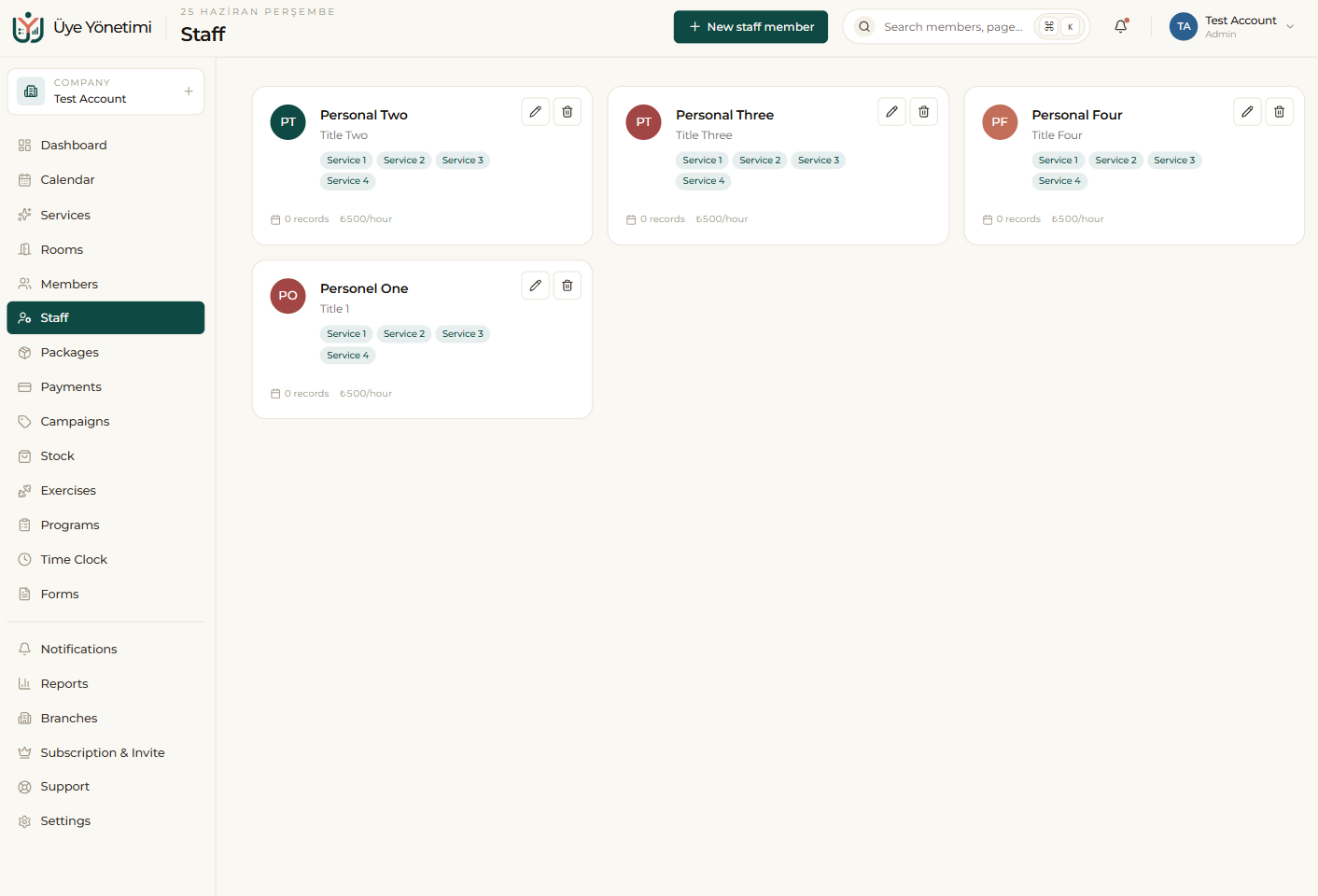
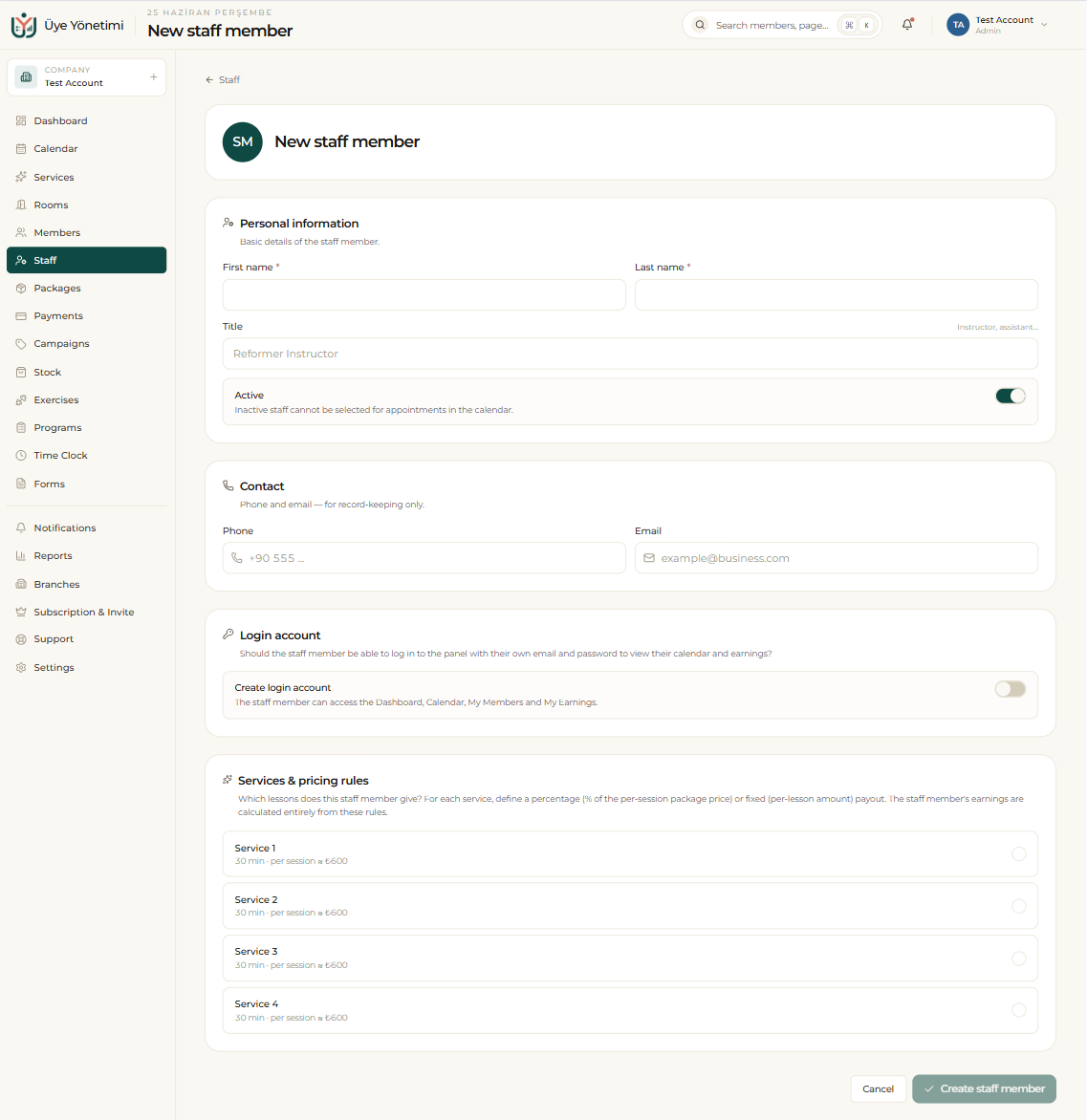
Automatic earnings calculation
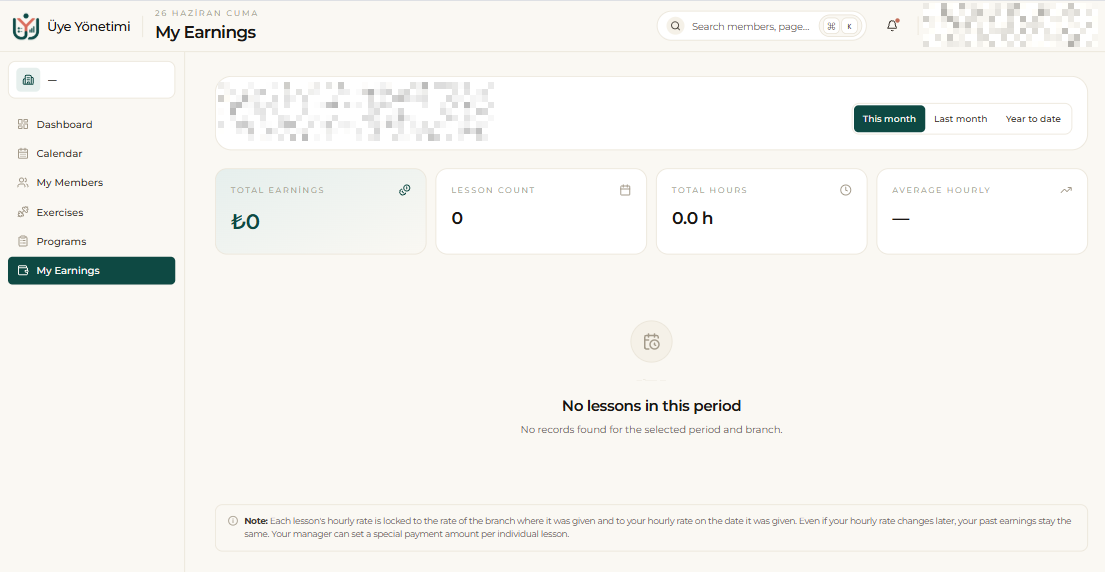
When a service is provided (when the appointment is marked “attended”) the relevant staff member’s earnings accrue instantly according to the rule you defined. At the end of the month you get a per-person earnings breakdown in one click; you calculate bonuses and commissions from the records the system keeps, not from guesswork.
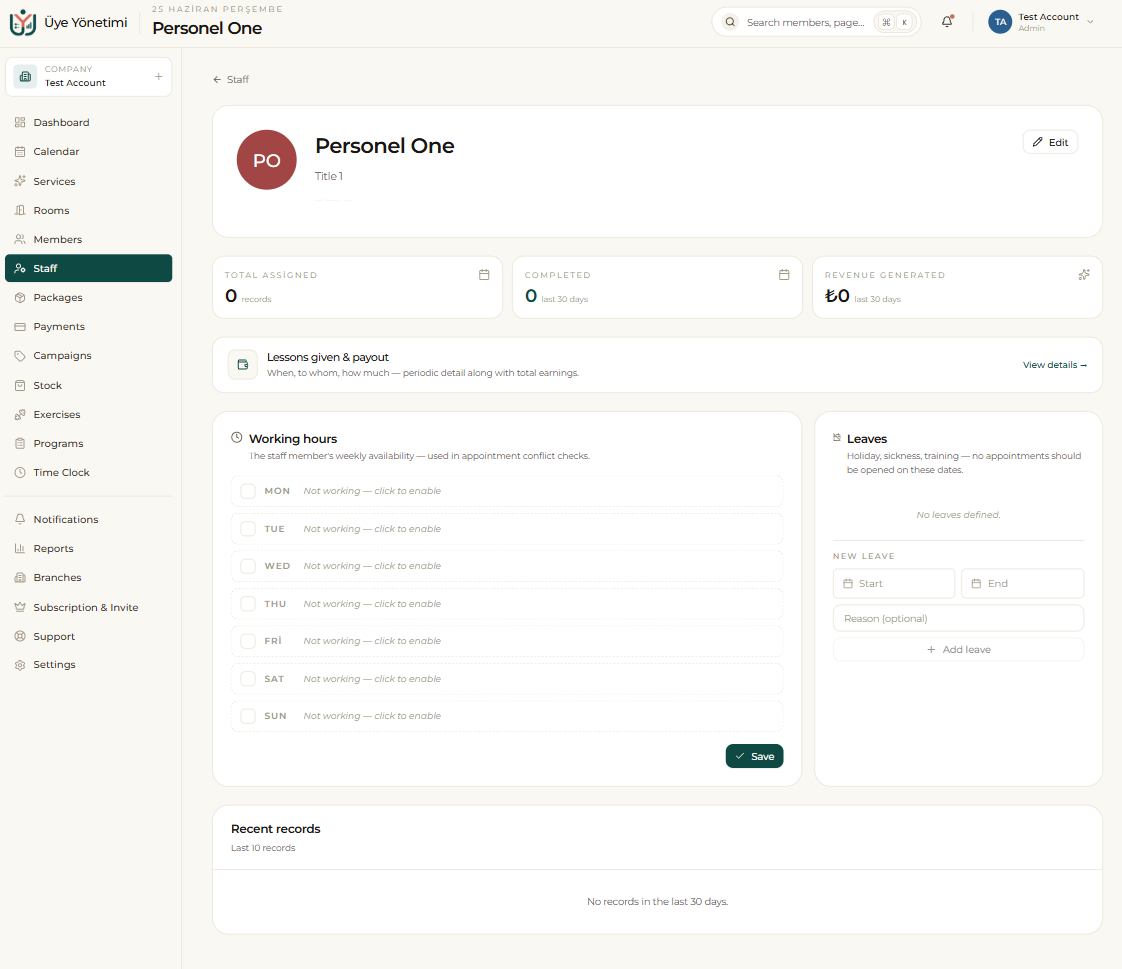
You can also see performance per branch and clearly track who produced how much. The staff card additionally shows working hours and leave so the calendar’s conflict checks stay accurate.
The staff portal (their own login)
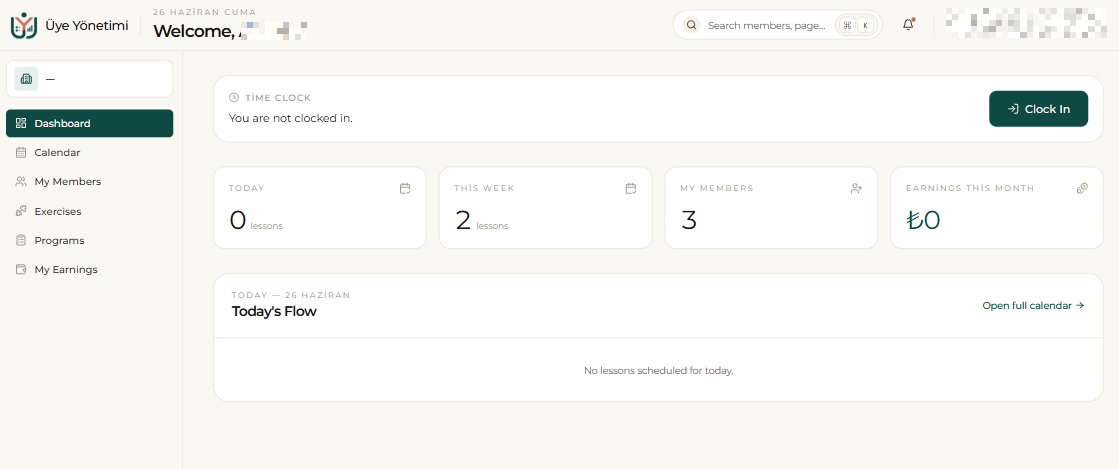
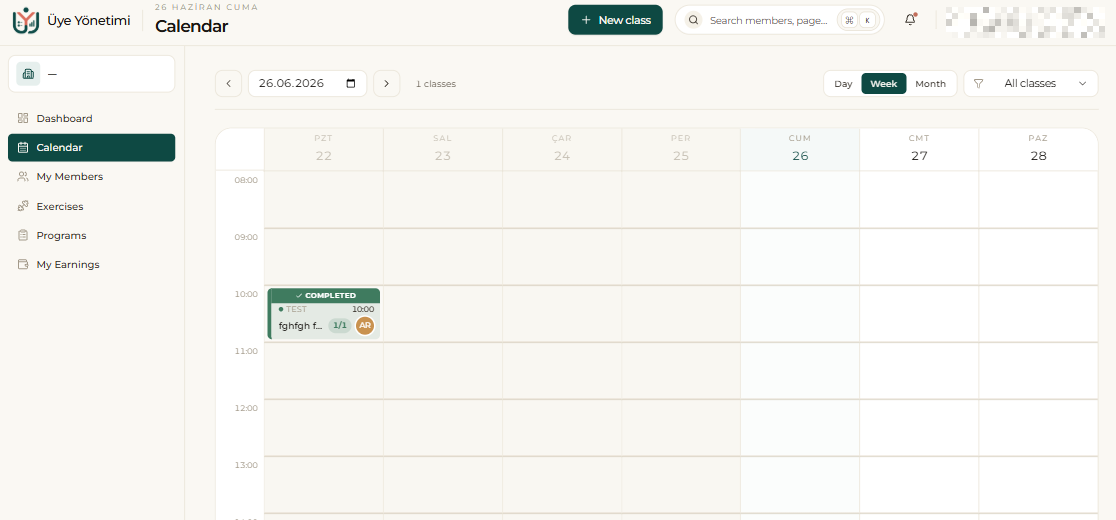
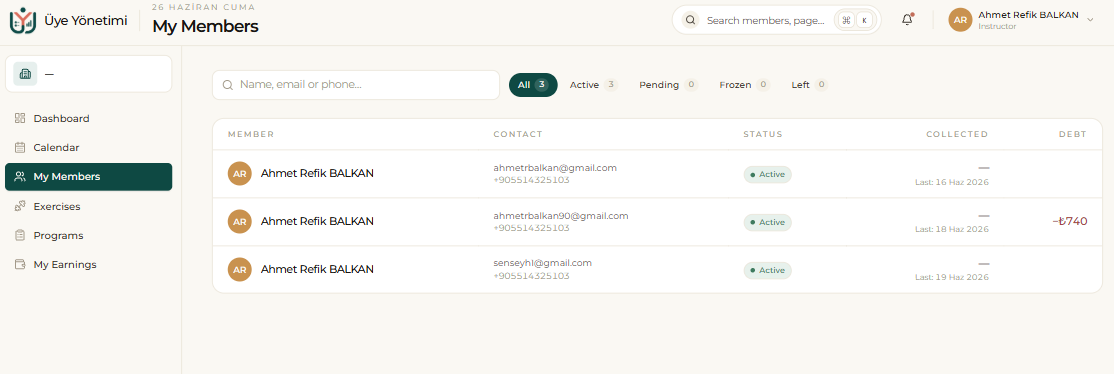
When you create a login account for a staff member, they sign in with their own email and password — but they don’t see the admin view, only a simple portal of their own. This portal has their own Dashboard, Calendar, “My Members” and “My Earnings” screens.
From here a staff member sees only their own appointments and the members assigned to them, and tracks the earnings accruing from the lessons they deliver. They cannot reach admin screens like financial reports, the cash register or settings. So each instructor sees their own day and earnings while the business’s sensitive data stays protected.
Step by step
- 1 Open the “Staff” page from the left menu.
- 2 Click the “New staff member” button and enter name, contact and login details.
- 3 Assign the person a role/permissions; this determines which screens they see and which actions they take.
- 4 If you want the staff member to sign in with their own email and password, turn on “Create login account” (see The staff portal).
- 5 Define a fixed fee or percentage commission rule for the services they provide.
- 6 As services are provided (when an appointment is marked “Attended”), earnings accrue automatically.
- 7 At the end of the month, track the per-person earnings breakdown and branch performance.