
Subscription & referrals
Your plan and billing
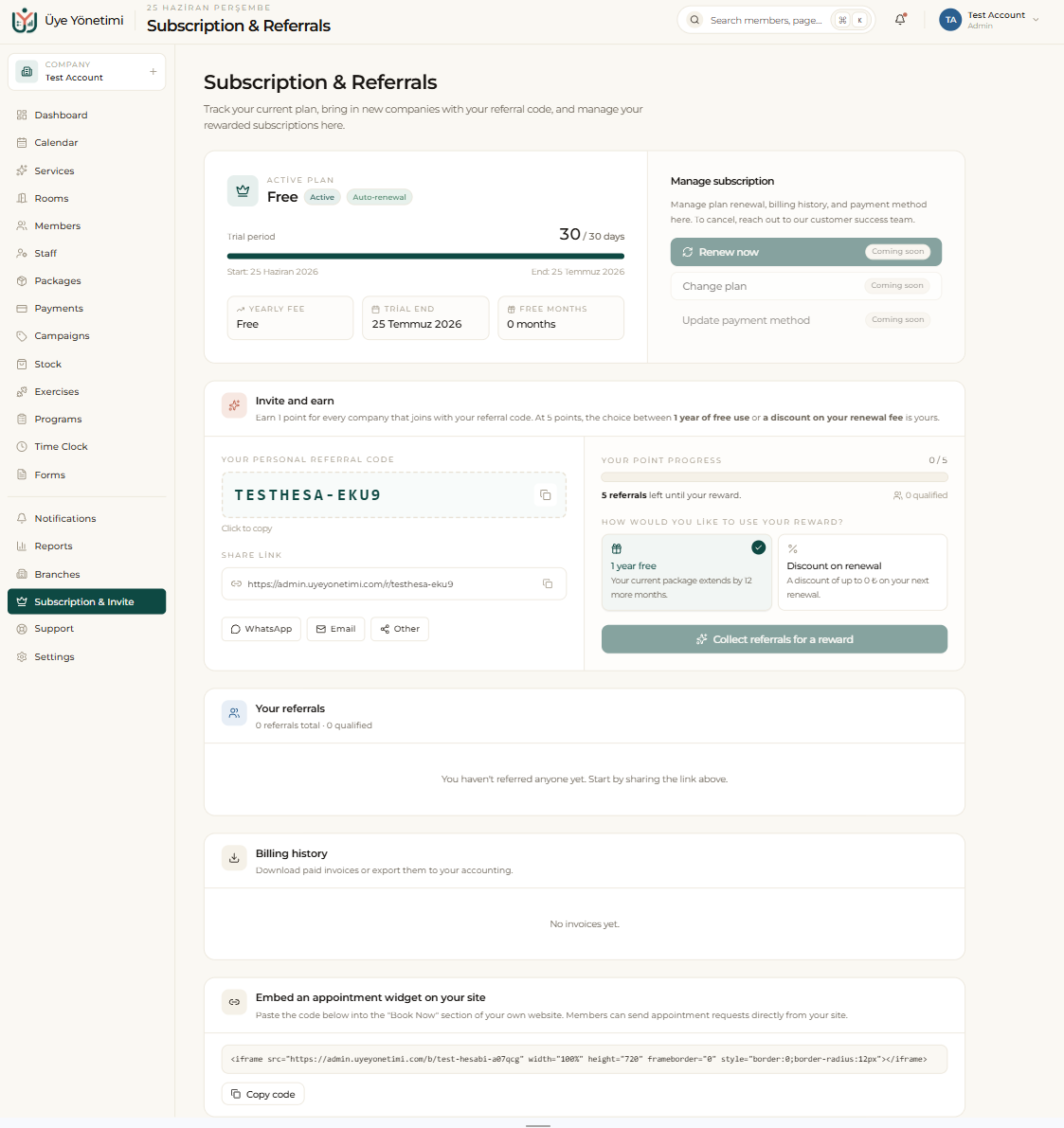
From Subscription & Referrals you track your current plan, renew or change it, and update your payment method. The page shows your active plan, the period it covers and when it ends.
Your billing history is kept here too, so you can download or export past invoices for your accounting at any time, without contacting support.
Refer and earn, and the booking widget
With your personal referral code you invite other businesses; you earn a point for each company that joins with your code, and when you reach the threshold you choose a reward — for example a free year of use or a discount on your renewal fee. You share your code over WhatsApp, email or a direct link.
From the same page you also copy the embeddable appointment widget: paste the code into the “Book Now” section of your own website so members can send appointment requests straight from your site.
Step by step
- 1 Open “Subscription & Invite” from the left menu.
- 2 Under Manage subscription, renew or change your plan and update your payment method.
- 3 Download your past invoices from Billing history whenever you need them.
- 4 Copy your personal referral code and share it via WhatsApp, email or link.
- 5 Track your referrals and collect your reward when you reach the point threshold.
- 6 Copy the appointment-widget code and embed it in the “Book Now” section of your website.