
Support
Getting help
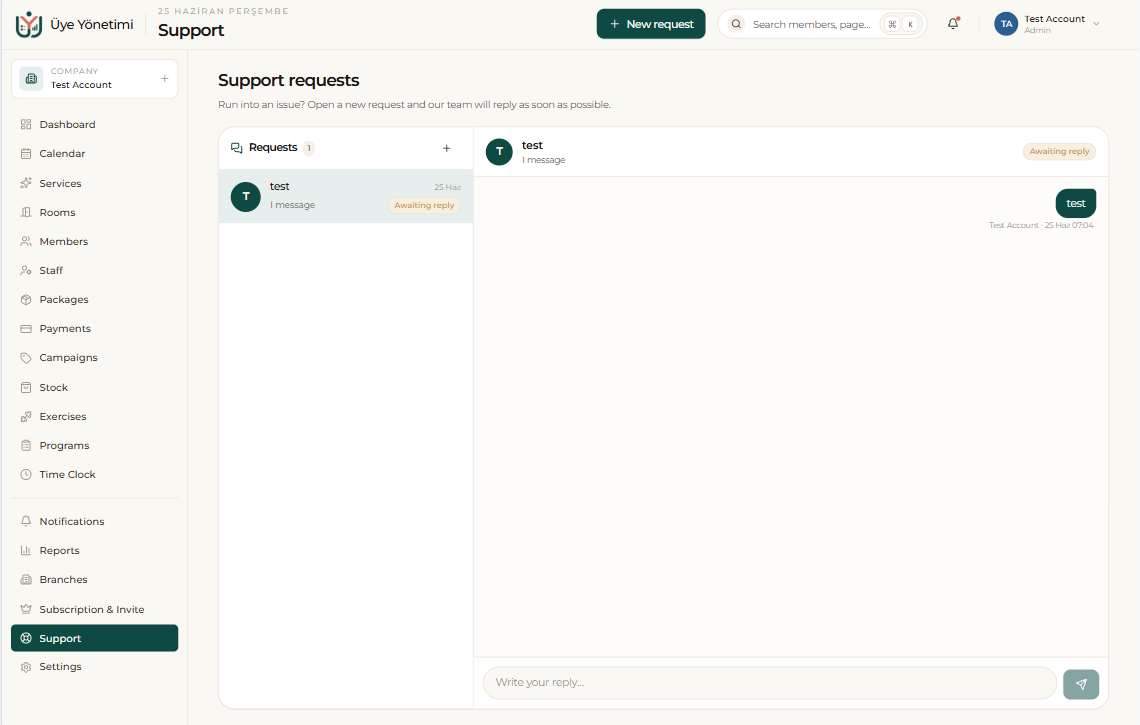
When you run into an issue, open a new request from the Support screen and our team replies as soon as possible. Each request is a thread: you follow the conversation, see its status (for example “Awaiting reply”) and add new messages as needed.
Because all requests stay on a single screen, you never lose track of an ongoing issue — your previous requests and their replies remain accessible.
Step by step
- 1 Open the “Support” page from the left menu.
- 2 Click “New request” and describe your issue.
- 3 Follow the reply and its status (e.g. “Awaiting reply”) from the request thread.
- 4 Add new messages to the same thread to continue the conversation.
Note
Before opening a request, check the relevant page in this guide — many questions are answered there step by step.